

Transformation: Stack Rows
The Stack Rows transformation allows you to vertically combine data from two or more datasets, as long as the column names and types match. This is useful when you’re working with partitioned or segmented data (e.g., monthly files, regional exports) and need to consolidate them into one dataset for analysis or reporting.
When to Use Stack Rows
Section titled “When to Use Stack Rows”Use this transformation when:
-
You have multiple datasets with identical structures (e.g., same columns and data types)
-
You want to append rows from one dataset to another
-
You’re combining monthly reports, region-based exports, or time-based slices of the same schema
Requirements
Section titled “Requirements”To use Stack Rows, all datasets must meet the following criteria:
-
Same number of columns
-
Matching column names (case-sensitive)
-
Compatible column types (e.g., string, integer, date)
If your datasets don’t align perfectly, you may need to first apply transformations like:
-
Rename Column
-
Reorder Columns
-
Change the data type in the data set builder
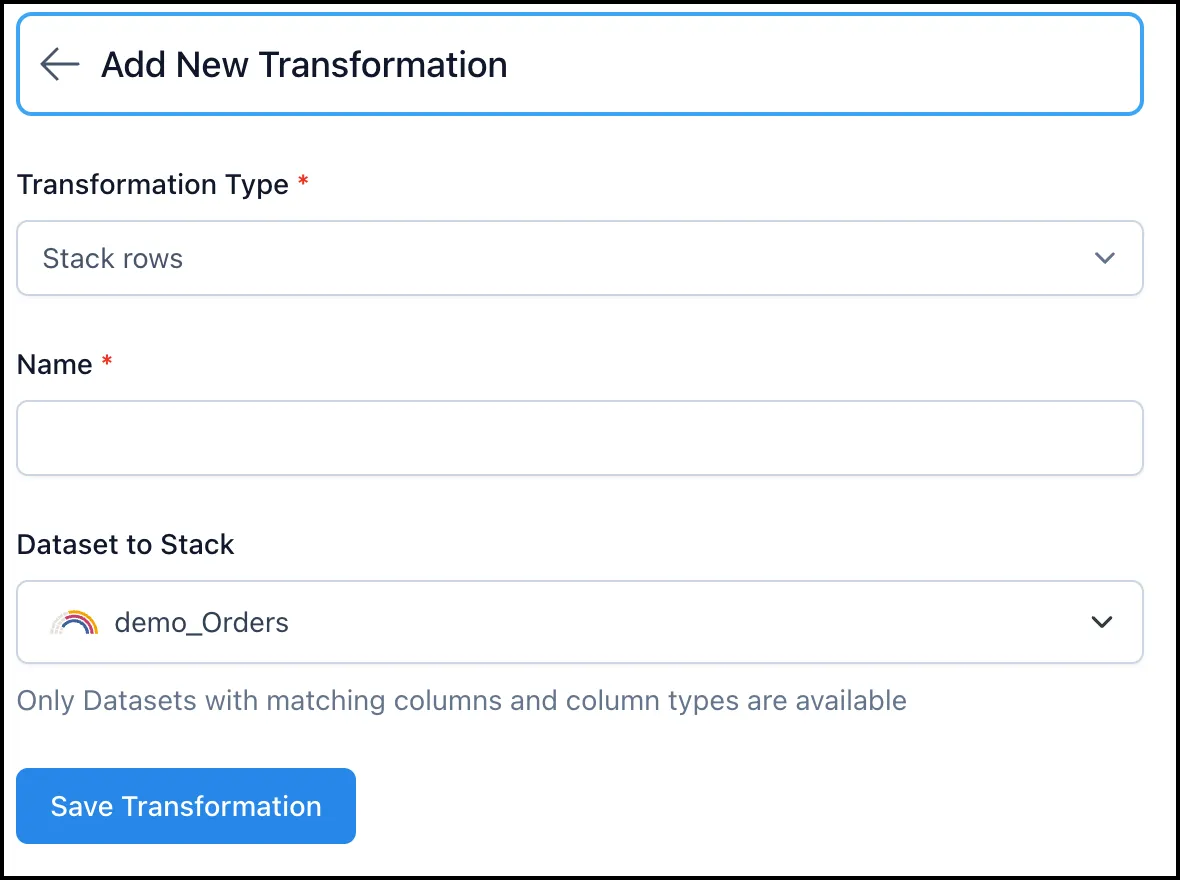
How to Apply Stack Rows
Section titled “How to Apply Stack Rows”-
Start a Pipeline and load your base dataset
-
Click + Add Step
-
Choose Stack Rows from the transformation list
-
Select the additional dataset(s) you want to stack onto your base dataset
-
Click Apply
Example Use Case
Section titled “Example Use Case”You have three separate CSV files:
-
Q1_Sales.csv -
Q2_Sales.csv -
Q3_Sales.csv
Each contains the same columns: Region, Salesperson, Amount, Quarter.
Using Stack Rows, you can combine all three into a single dataset for year-to-date reporting—without manually merging files outside Nexadata.
Tip: Fixing Mismatched Data Types
Section titled “Tip: Fixing Mismatched Data Types”If a dataset isn’t appearing in the dropdown list, it may have incompatible data types. Use the Dataset Builder to change column types before applying Stack Rows:
-
Go to Datasets
-
Open the dataset you want to modify
-
Use the column editor to change data types (e.g., from string to integer)
-
Save and revalidate the dataset
Once aligned, the dataset will appear as an option when stacking rows.
Things to Keep in Mind
Section titled “Things to Keep in Mind”-
❗ Mismatched columns will cause errors or missing values.
-
✅ Always preview the datasets beforehand to confirm alignment.
-
🧰 Use Advanced Mode to inspect or adjust transformation steps if needed.