

Step #7 - Execute the Workflow
🔍 What You’re Doing
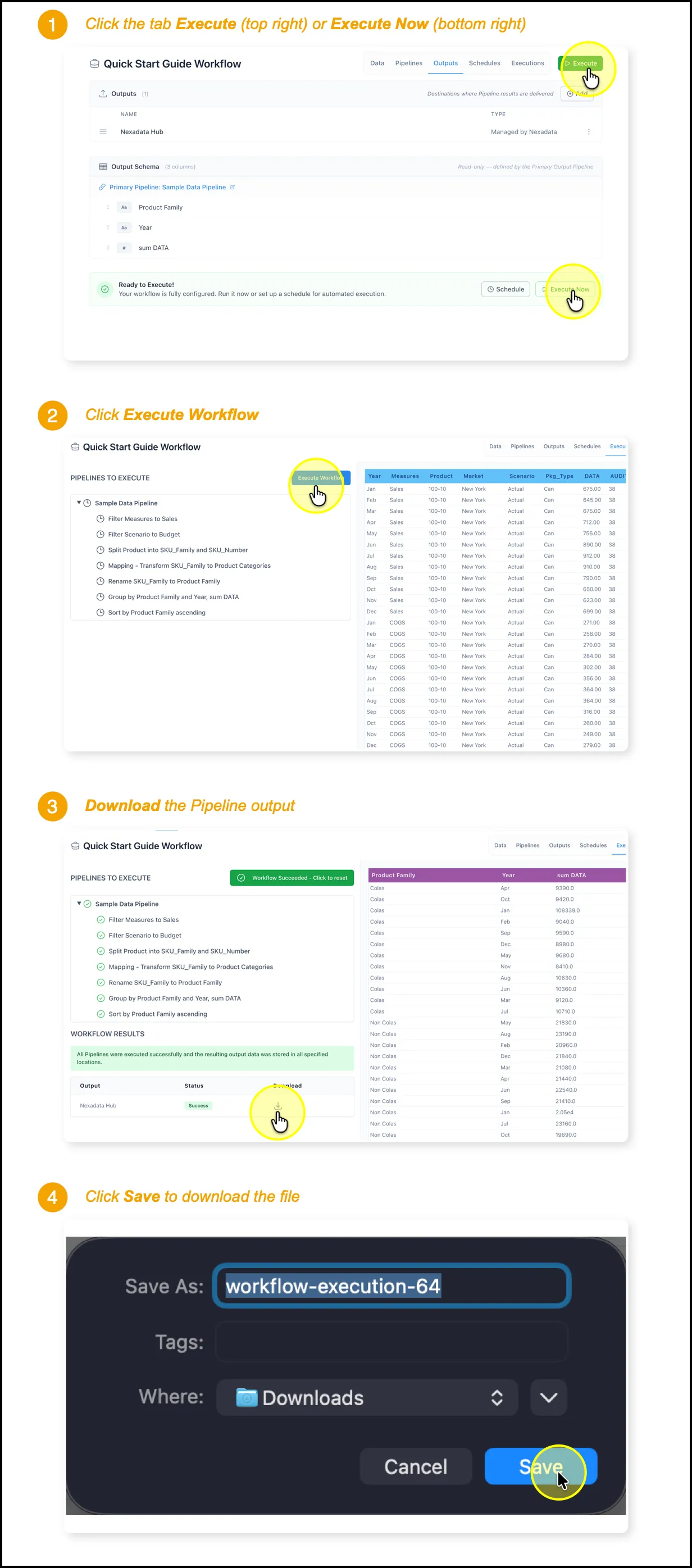
Section titled “🔍 What You’re Doing”In this step, you’ll execute your Nexadata Workflow to run the full transformation Pipeline, then download the output file. This confirms that everything from input to output has been successfully configured and processed.
✅ Summary of Steps
Section titled “✅ Summary of Steps”-
Click Execute (top right) or Execute Now (bottom right).
-
Confirm execution by clicking Execute Workflow again.
-
Once complete, click Download next to the output.
-
Click Save to download the file to your device.
Congratulations! You have built your first Nexadata AI Copilot Workflow and Pipeline!