Step #3 - Create a Workflow
🔍 What You’re Doing
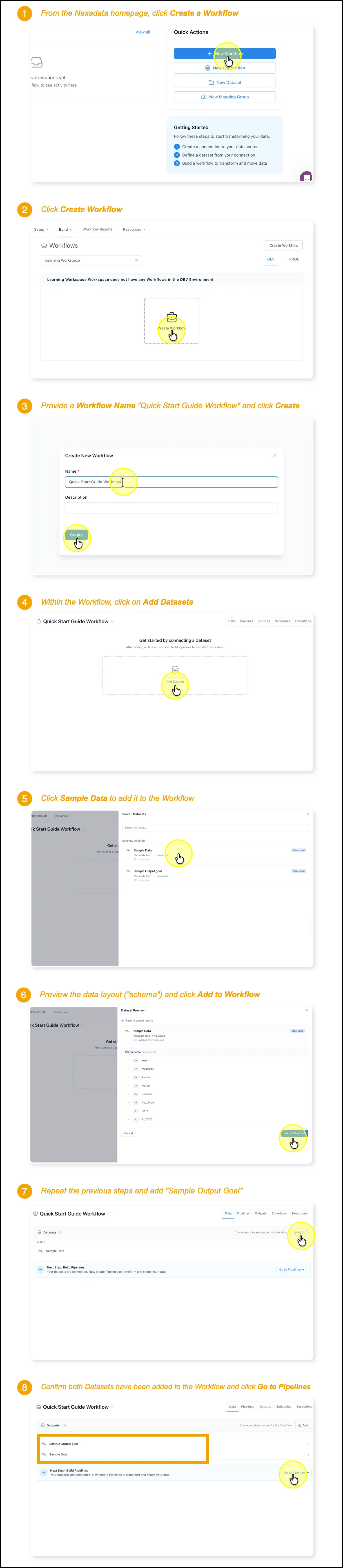
Section titled “🔍 What You’re Doing”In this tutorial, you’ll create a Workflow in Nexadata and add the input and output datasets you previously created. This setup is required before using the Agentic AI Copilot to generate a transformation pipeline.
✅ Summary of Steps
Section titled “✅ Summary of Steps”-
Click Create a Workflow on the homepage
-
Click Create Workflow in the Workflows tab
-
Name your workflow (e.g., Quick Start Guide Workflow) and click Create
-
Open the Datasets tab within the workflow
-
Click Add Dataset
-
Add the Sample Data and Sample Output Goal datasets
-
Confirm that both datasets are listed in the workflow