

Global Tag Management
Tags in Nexadata give you a flexible, color-coded way to organize your workspace. You can create and apply tags directly from Connections, Datasets, and Workflows without navigating away from what you are working on. A central tag library in Nexadata Settings > Tags lets you maintain a consistent taxonomy across your entire team.
Creating and Applying Tags
Section titled “Creating and Applying Tags”You can create a new tag at any point without leaving your current view. From any Connection, Dataset, or Workflow, open the tag selector and type the name of the tag you want to create. Select Create tag to add it to your library and apply it immediately.
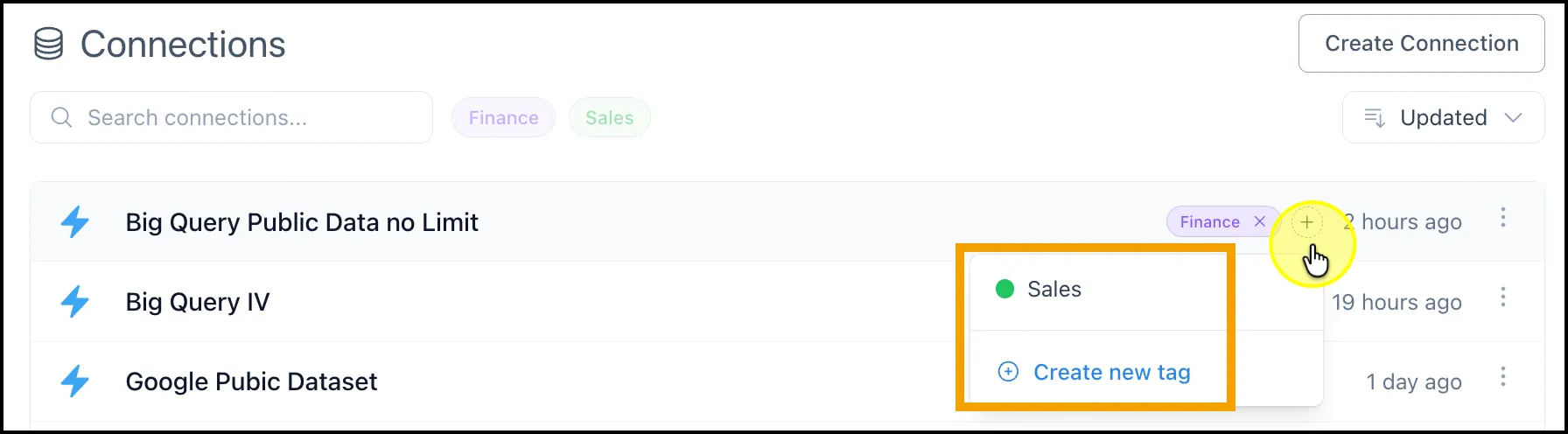
Inline tag creation from a Connection, Dataset, or Workflow
Tags you create inline are instantly available across the rest of the product. There is no need to pre-configure tags in settings before using them.
Filtering by Tag
Section titled “Filtering by Tag”Once tags are applied, you can use them to filter your views across Connections, Datasets, and Workflows. Open the Filters panel in any of these areas and select one or more tags to narrow your results to only the items that match.
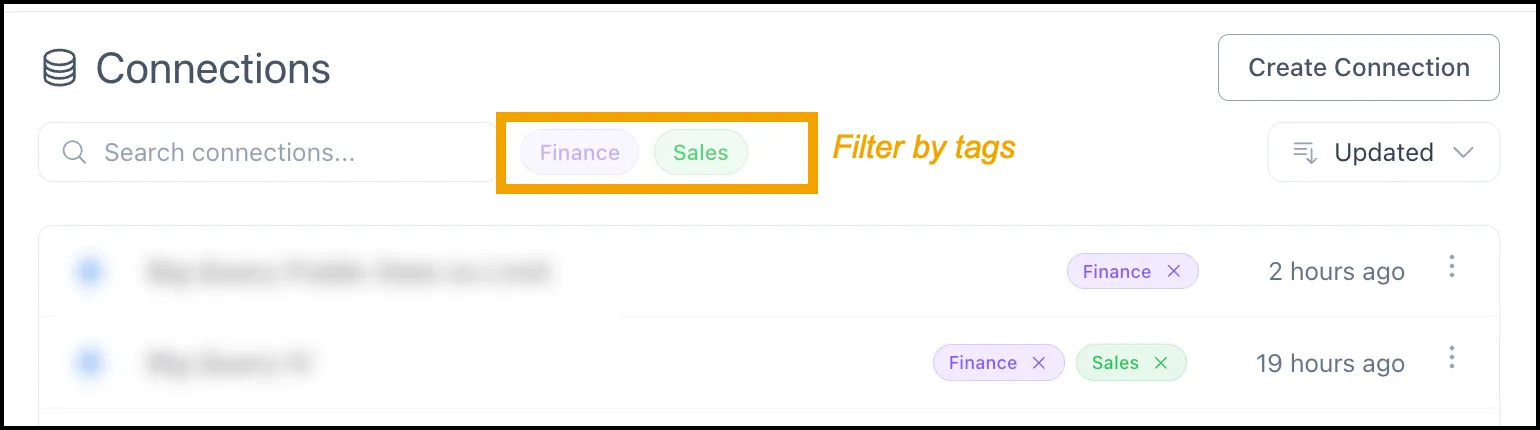
Filtering Connections, Datasets, or Workflows by tag
Color Coding
Section titled “Color Coding”Each tag can be assigned one of nine available colors to create visual groupings across your workspace. The assigned color displays consistently wherever the tag appears, making it easier to distinguish categories at a glance.
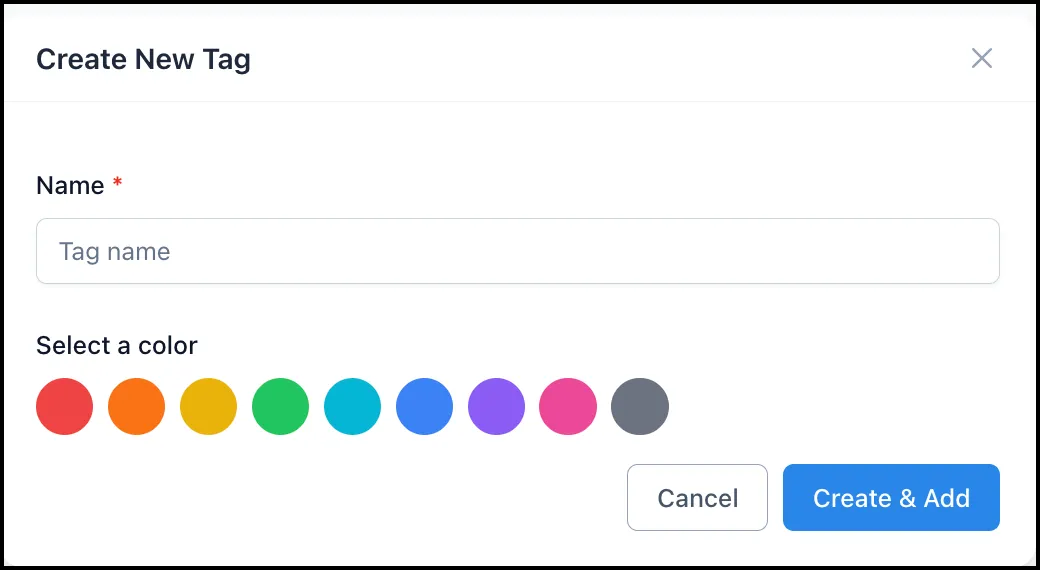
When creating a tag, provide a name and set a color
Managing Your Tag Library
Section titled “Managing Your Tag Library”Your full tag library is managed centrally from Nexadata Settings > Tags. The management table displays each tag’s name, color swatch, and use count across the platform. From this page you can create new tags, rename or recolor existing ones, and delete tags that are no longer needed.
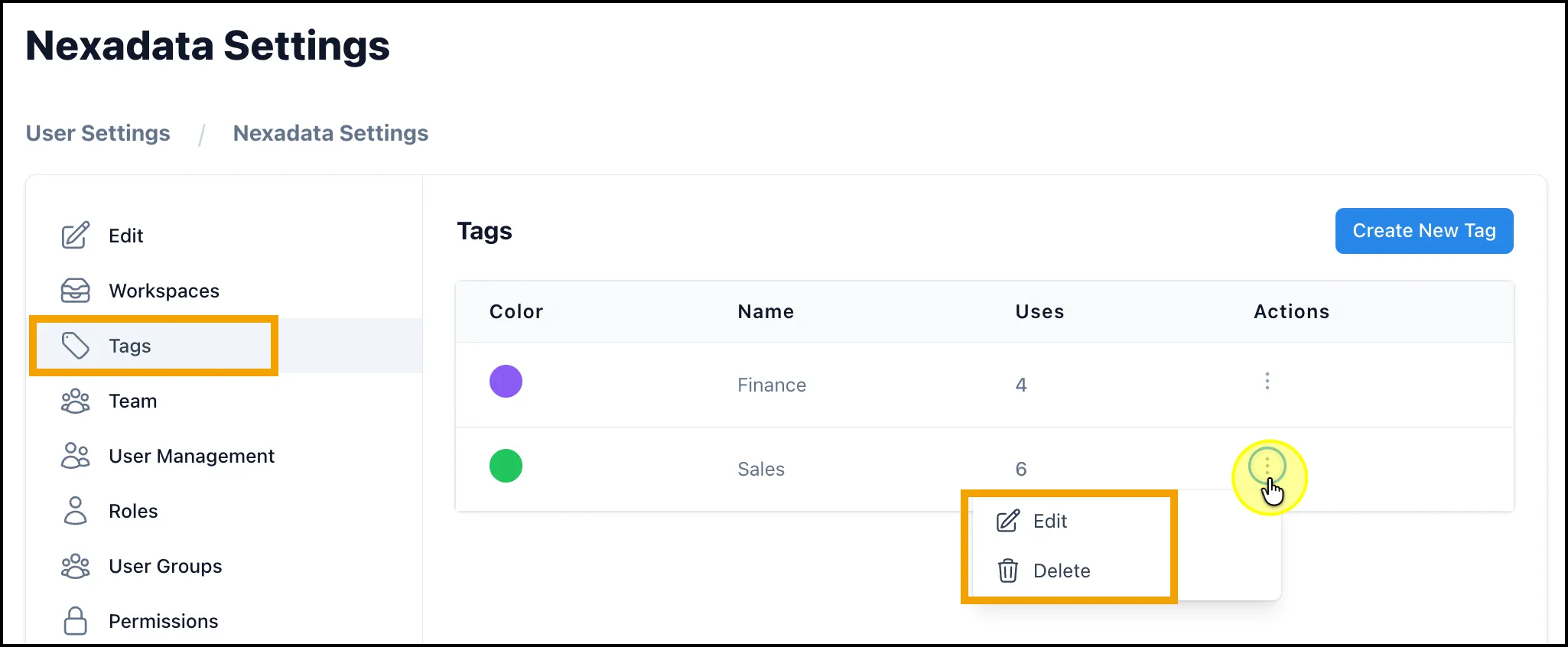
The Tags management page in Nexadata Settings
Changes made here are reflected immediately across the product for all team members.
Common Tagging Patterns
Section titled “Common Tagging Patterns”Tags are flexible by design. Some common ways teams use them:
-
Environment:
dev,staging,production -
Department or team:
finance,marketing,ops -
Data source type:
erp,crm,hris -
Run frequency:
daily,weekly,month-end -
Priority or sensitivity:
critical,high-priority,pii -
Lifecycle stage:
in-review,active,deprecated