Step #6 - Add a Workflow Output
🔍 What You’re Doing
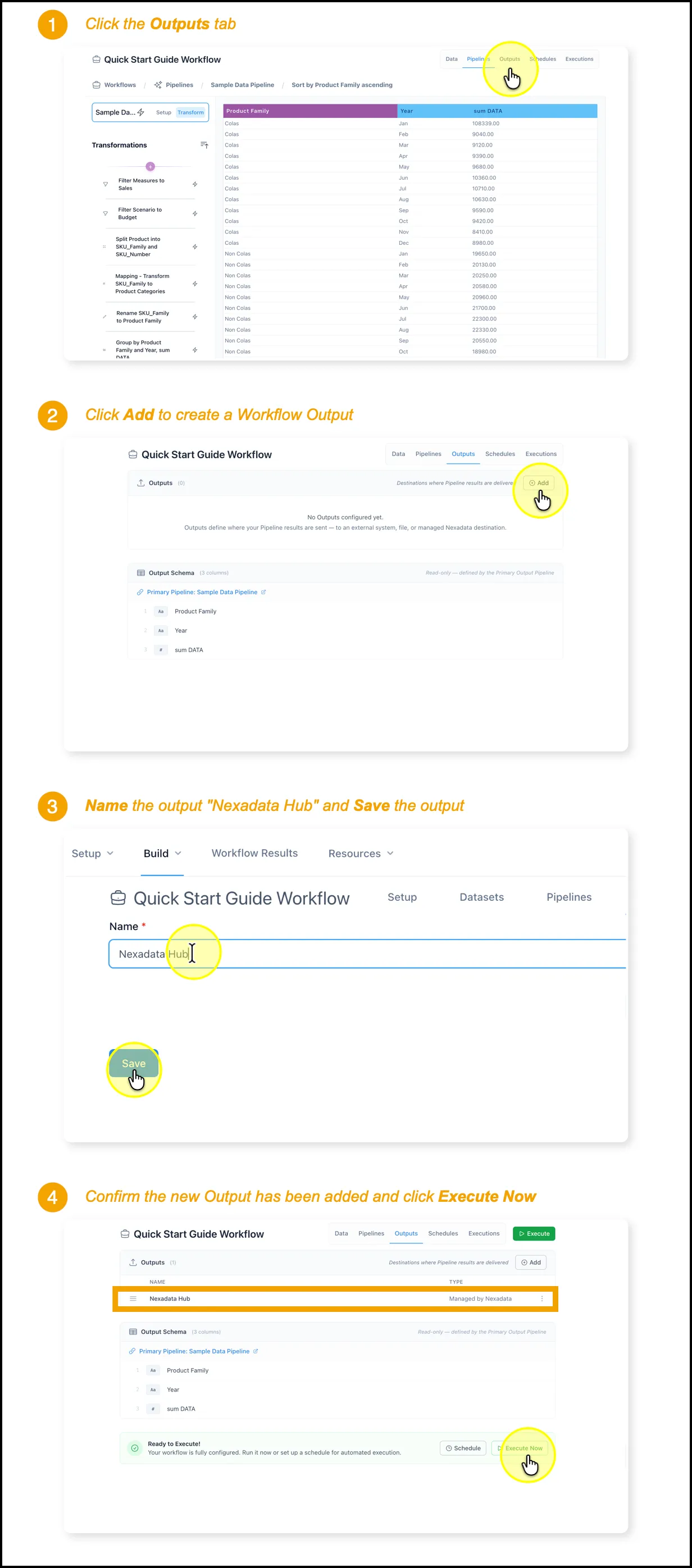
Section titled “🔍 What You’re Doing”In this step, you’ll add an Output destination to your Nexadata Workflow. This defines where your transformed data will be written after the Pipeline runs. For this example, we’re setting the output to Nexadata Hub, managed by the platform.
✅ Summary of Steps
Section titled “✅ Summary of Steps”-
Go to the Outputs tab in your Workflow.
-
Click Add Output.
-
Name the output (e.g., Nexadata Hub) and click Save.
-
Confirm that the new output appears in the list.