Step 1 - Create a Source Connection for Pigment
🔍 What You’re Doing
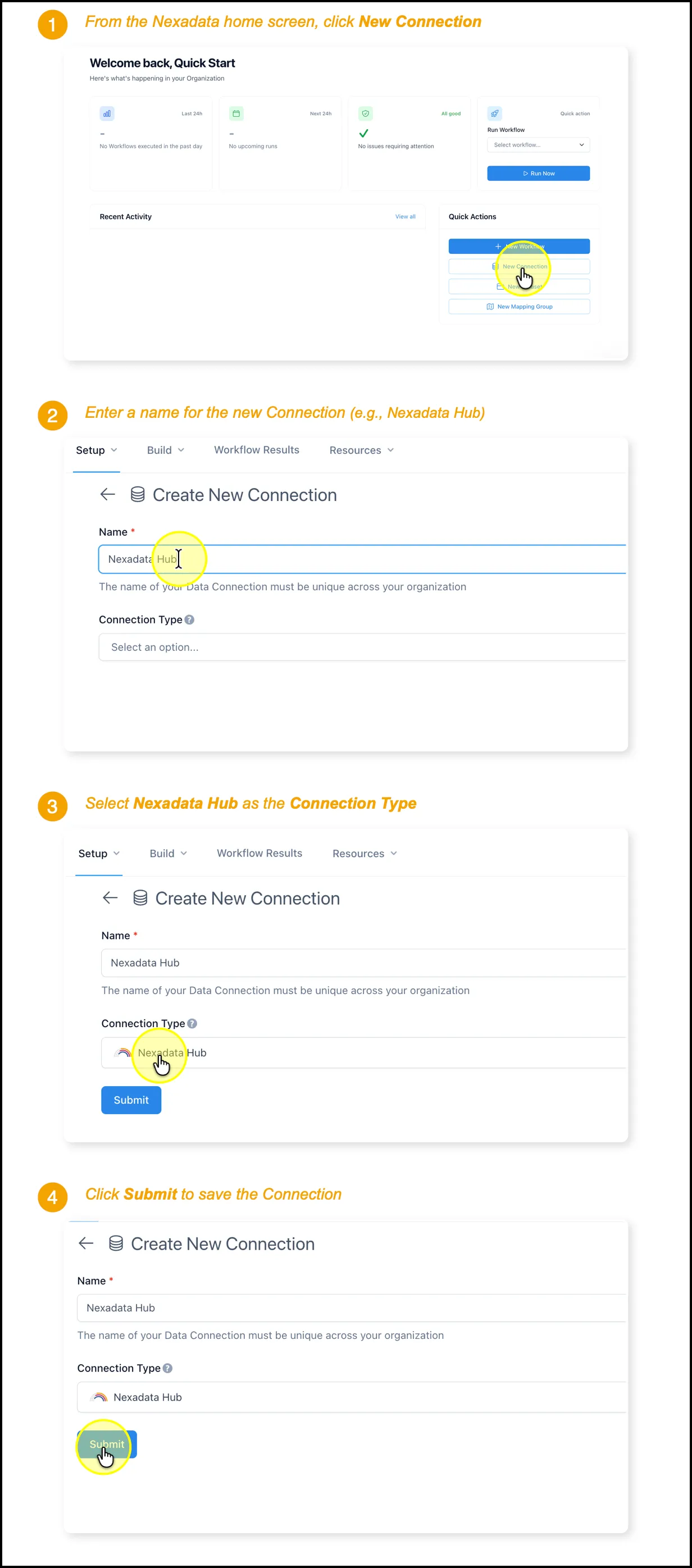
Section titled “🔍 What You’re Doing”In this step, you’ll create a new Connection in Nexadata using the Nexadata Hub as the source. This connection allows you to access internal sample files that will be used to create Datasets in later steps. Connections are the first step in integrating any data source into a Workflow.
✅ Summary of Steps
Section titled “✅ Summary of Steps”-
From the Nexadata home screen, click Create a Connection.
-
Enter a name for the new Connection (e.g.,
Nexadata Hub). -
Select Nexadata Hub from the Connection Type dropdown.
-
Click Submit to save the Connection.