Step #1 - Create a Connection
🔍 What You’re Doing
Section titled “🔍 What You’re Doing”You’re setting up a data connection to the Nexadata Hub, which allows you to access sample datasets used throughout the Quick Start Guides. This connection is essential for loading pre-provided data and practicing Nexadata workflows.
✅ Summary of Steps
Section titled “✅ Summary of Steps”-
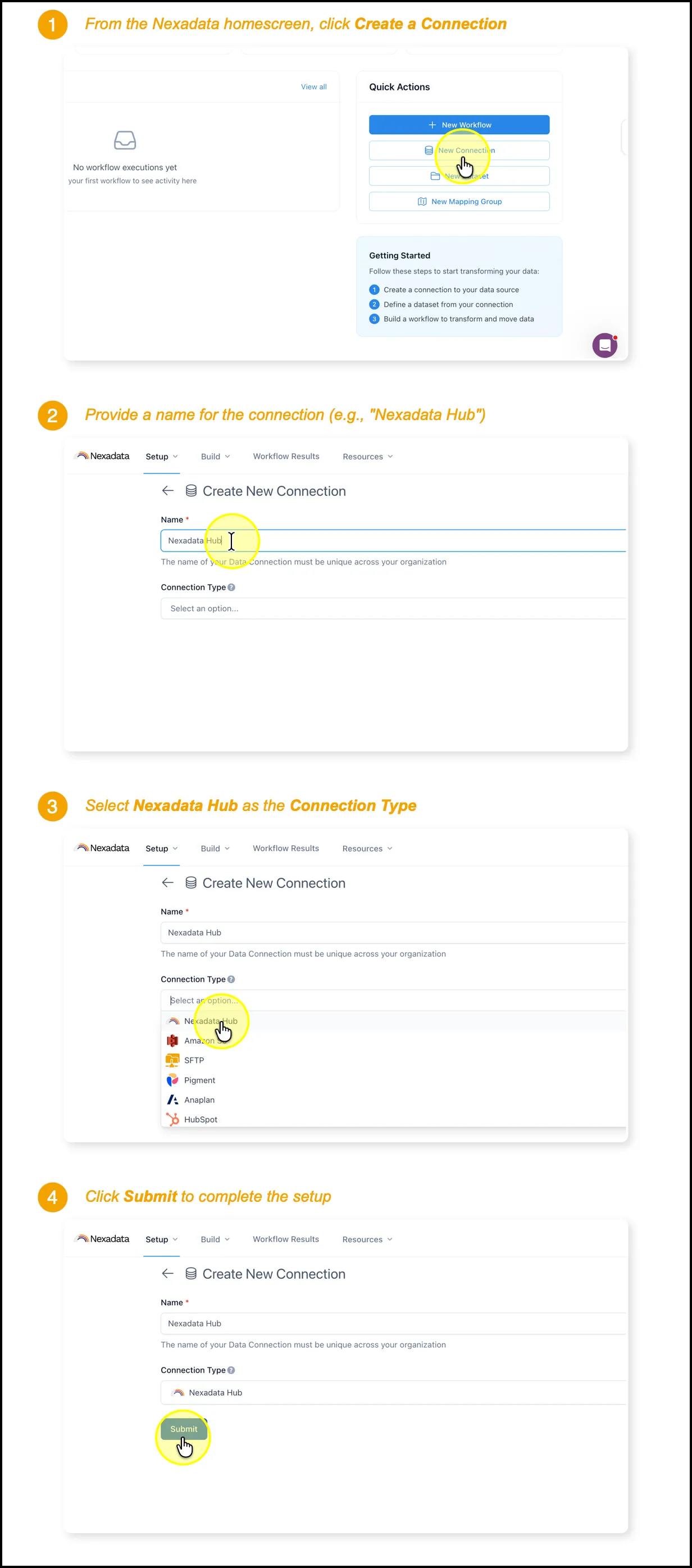
Click Create a Connection on the homepage.
-
Enter a unique name for your connection (e.g., Nexadata Hub).
-
Select Nexadata Hub as the connection type from the list of available options.
-
Click Submit to complete setup.